
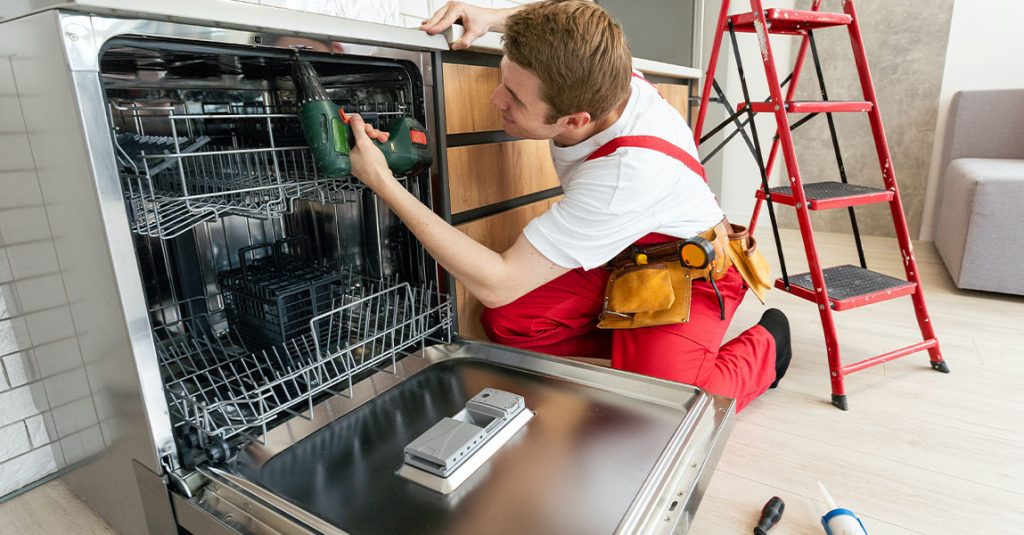
When a dishwasher stops responding to button presses, the issue can feel confusing at first. One moment the cycle starts normally, the next, nothing happens no matter how often we press the controls. This problem usually points to a failing touchpad membrane. Understanding how this component works helps us diagnose and manage it better without guesswork or unnecessary part replacements.
How the Touchpad Membrane Works
Touchpad membranes respond to finger pressure through flexible electrical contact points layered inside the control panel. When we press a button, the membrane sends a signal to the dishwasher’s control board. If the circuit inside the membrane breaks down or gets damaged, the button no longer communicates with the system.
In many dishwashers, the touchpad connects directly to a ribbon cable. This cable links to the control board and requires clean, firm contact. Any corrosion, looseness, or small crack can interrupt the signal. So, even if the rest of the appliance works fine, a single failed contact can disable the entire panel.
Sometimes only one button stops responding. However, when multiple buttons fail or none respond, it’s a stronger sign that the whole touchpad membrane needs replacement. Cleaning can help if moisture or debris is the cause, but mechanical wear often means replacement is the only solution.
Signs the Membrane Has Failed
The clearest symptom of a failed touchpad is an unresponsive control panel. Yet not every case is identical. Some panels blink once when we press them, but the cycle doesn’t start. Others make a beep but fail to register the actual command. In more advanced models, the display might freeze or flash error codes that hint at communication loss between the touchpad and control board.
A helpful trick involves running a button test if your model supports it. This test lets us press each button while the machine is in diagnostic mode. If some buttons work and others don’t, the membrane likely has dead zones.
Touchpads can fail due to water damage, especially from steam escaping around the door seal. Over time, this moisture sneaks into the control area. Therefore, if the dishwasher frequently fogs up or leaks slightly, we might also notice panel failures sooner.
For those needing direct assistance, scheduling dishwasher repair in Leduc can help resolve this issue efficiently without risking further damage.
Difference Between Touchpad and Control Board Failures
It’s easy to mistake a dead control board for a failed touchpad. However, these are two different problems. The touchpad membrane is the input side, while the control board is the logic processor. We can tell the difference based on how the appliance behaves when powered.
If no lights turn on, no beeps sound, and the panel stays completely dark, we might have a power issue or a failed board. In contrast, if lights do come on but no buttons work, it often points to a touchpad issue.
Sometimes the control board fails to read the membrane properly due to faulty connectors. Before replacing anything, it helps to check the ribbon cable and connections for corrosion. Cleaning with isopropyl alcohol and reseating the cable might bring the panel back to life.
We’ve seen cases where replacing the touchpad fixed everything, even though the control board looked suspicious. This is why testing the panel thoroughly is important before buying replacement boards, which cost more and take longer to install.
If you’re unsure which part is failing, a professional from appliance repair in Leduc can inspect and test your dishwasher with precision.
How to Access and Test the Membrane
Before testing, always disconnect the dishwasher from power. Safety comes first, especially when dealing with sensitive electronics. Once it’s unplugged, we can access the control panel by removing a few screws on the inner door panel. This exposes the back of the touchpad and the circuit board.
We look for the ribbon cable coming from the membrane. Gently unplug it and check for damage. If the contacts appear worn or corroded, that’s already a sign of trouble. Testing the ribbon with a multimeter in continuity mode lets us check if each button contact is still functional. No continuity on a button trace usually confirms membrane failure.
This step requires a bit of care. We need to press each spot on the panel while probing the corresponding pins. If the button doesn’t create a closed circuit, it’s not working. Therefore, even without opening the front panel, this quick check can save us from guessing and ordering the wrong part.
If we don’t have a multimeter or prefer a hands-off approach, it’s better to book help through contacting the JAY Appliances team and let a technician handle it.
Replacing the Touchpad Membrane
Most touchpad membranes are secured with tabs, screws, or adhesive strips inside the control panel. Once removed, we need to carefully detach the old ribbon cable and align the new one exactly as before. If the membrane is part of a full control console, we replace the entire panel.
This job takes patience, especially when aligning ribbon cables back into tight connectors. Misalignment may cause some buttons not to register. Additionally, some replacement parts require exact model matching. Using the wrong part might physically fit but not communicate with the board properly.
After reinstalling everything, we reconnect the power and test the dishwasher. If all buttons now respond, the job’s done. If not, we check our work again before assuming the control board is bad. Most issues we’ve seen resolve fully after replacing the membrane when done correctly.
To make this process easier for local households, we often recommend a quick visit from a professional for Leduc appliance diagnostics and repairs, especially when there’s doubt between parts.
Preventing Future Touchpad Failures
Touchpads aren’t fully waterproof. Even sealed panels can develop problems if moisture builds up inside over time. To reduce this risk, we always ensure the dishwasher door seals tightly. Replacing worn gaskets can limit steam leaks that reach the control panel.
It also helps to avoid pressing the buttons with wet fingers. Water can seep into the tiniest gaps and pool on the membrane surface. While newer designs are more resilient, older models still rely on simple membranes that wear out sooner with repeated damp contact.
During cleaning, we never spray liquids directly on the control panel. Instead, we dampen a soft cloth and wipe gently. Abrasive cleaners and rough cloths can wear out the button overlay, making future failure more likely.
Lastly, voltage surges can affect the electronic panel. Using a surge protector or whole-house surge suppression system protects not only the touchpad but the entire dishwasher from electrical stress.
FAQ
What causes only a few buttons on my dishwasher to stop working?
This usually happens when specific sections of the touchpad membrane fail. Each button has its own contact point, and some may wear out faster than others.
Can I replace just the ribbon cable instead of the whole panel?
No, the ribbon cable is part of the touchpad membrane. If the cable is damaged, the whole membrane typically needs replacement.
Why does the panel sometimes beep but not respond?
This may happen when the touchpad sends a signal, but it’s incomplete or corrupted due to internal damage or poor connection.
Is there a reset that can fix unresponsive buttons?
Some dishwashers have a reset sequence, but it won’t fix a physically damaged membrane. Resetting may help if the control board has frozen.
How long does it take to replace a touchpad membrane?
On average, it takes about 30 to 60 minutes with proper tools and the correct part. Testing before and after replacement is also important.